to
Tune in · Tap off

Put your phone
down with intention.

Block the apps pulling you away from the present. No subscription. No large upfront cost. Always free.

"Everyone deserves the space to tap off — without the price tag."
Scroll
The problem

Your phone is designed to keep you on it.

Every notification, every scroll, every autoplay is engineered to capture your attention. The apps winning that battle aren't the ones that make your life better — they're the ones that make you feel worse for using them.

4hr
Average daily screen time for Australian adults
58×
Times the average person checks their phone per day
23min
Time to regain focus after a single phone interruption
$0
What Tapped Off costs to download and use
"We wanted our family to be more present — with each other, with the moment. But every solution we found was expensive, complicated, or required a monthly subscription."
David — Tapped Off founder, Sunshine Coast QLD
The solution

Intentional distance.
Not digital detox.

Tapped Off doesn't tell you to quit your phone. It gives you a simple, deliberate way to step back from the specific apps pulling you off course — for as long as you choose.

🚫

Block what matters

Choose exactly which apps to block. Your full installed app list, your choice. Save different lists for different modes.

🔒

Make it stick

Set a PIN so you can't just tap back in on impulse. Or use a physical NFC tag — the only way to end the session is to tap it.

🆓

No subscription

No monthly fee. No large upfront cost. The app is free forever. The optional physical tags are the only thing you ever pay for.

How it works

Three steps to
tapping off.

01

Choose your mode

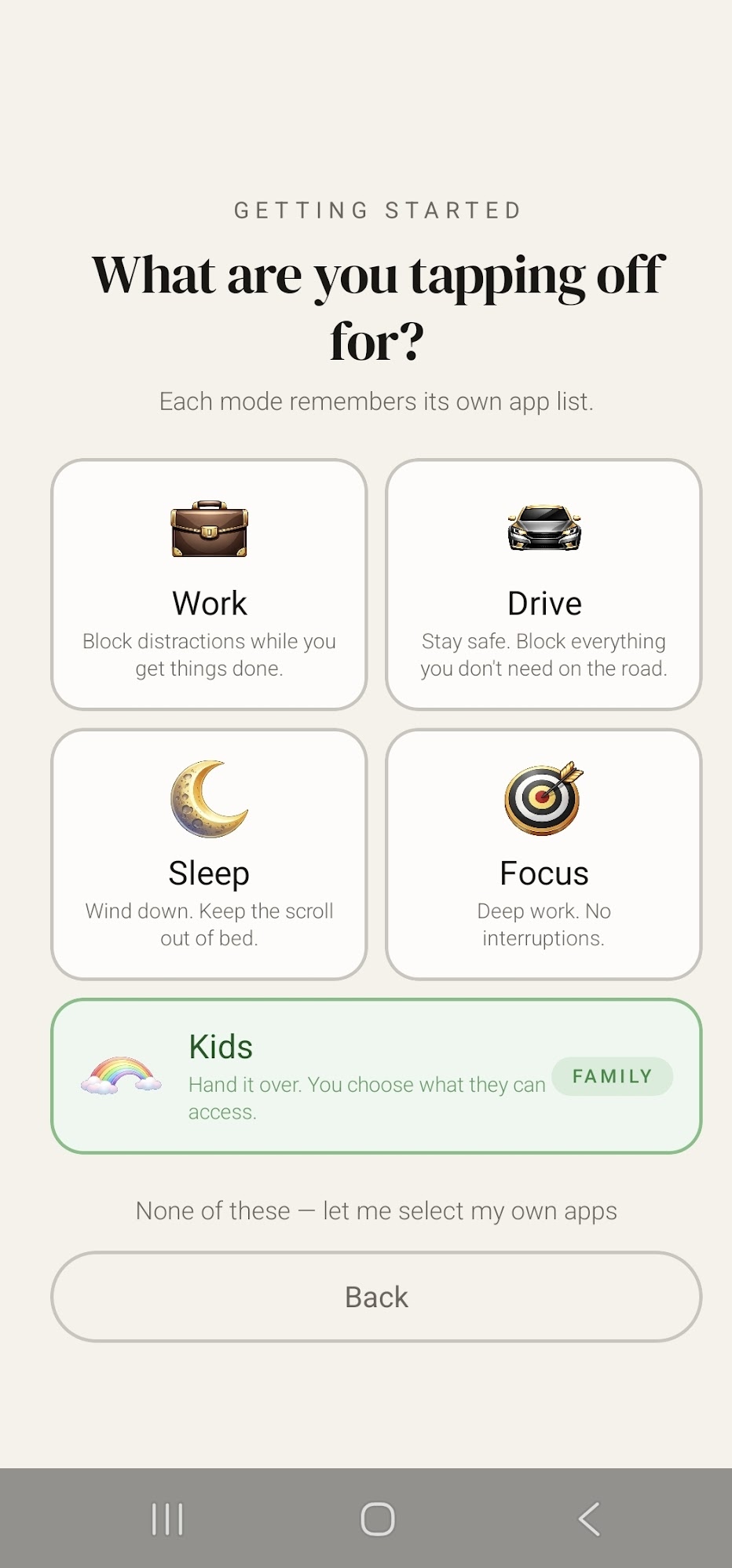
Pick from Work, Drive, Sleep, Focus, or Kids — each remembers its own app list. Or go custom and choose your own apps from scratch.

02

Select your apps

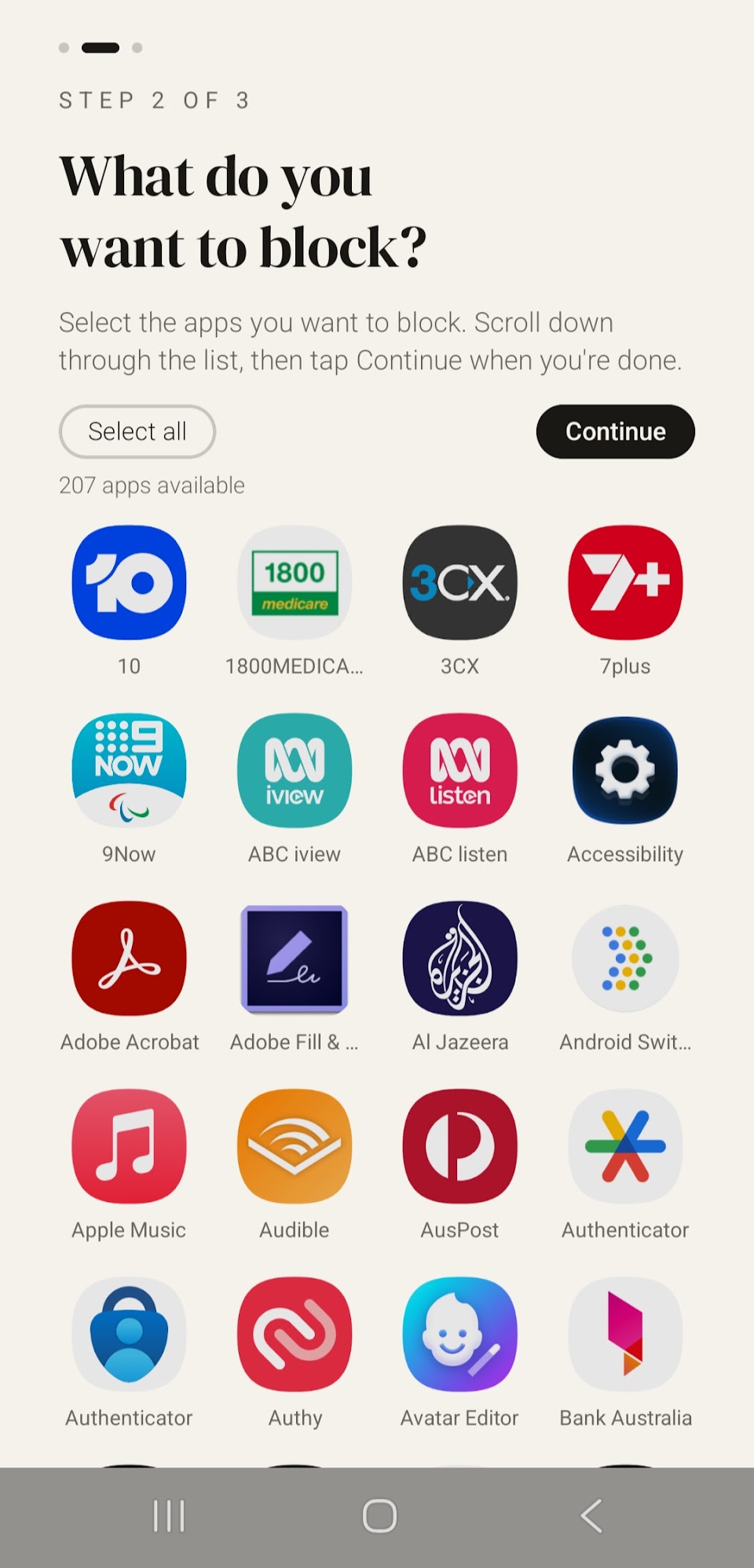
Browse your full installed app list and select what to block. Set a PIN to prevent bypassing, or leave it open.

03

Tap off

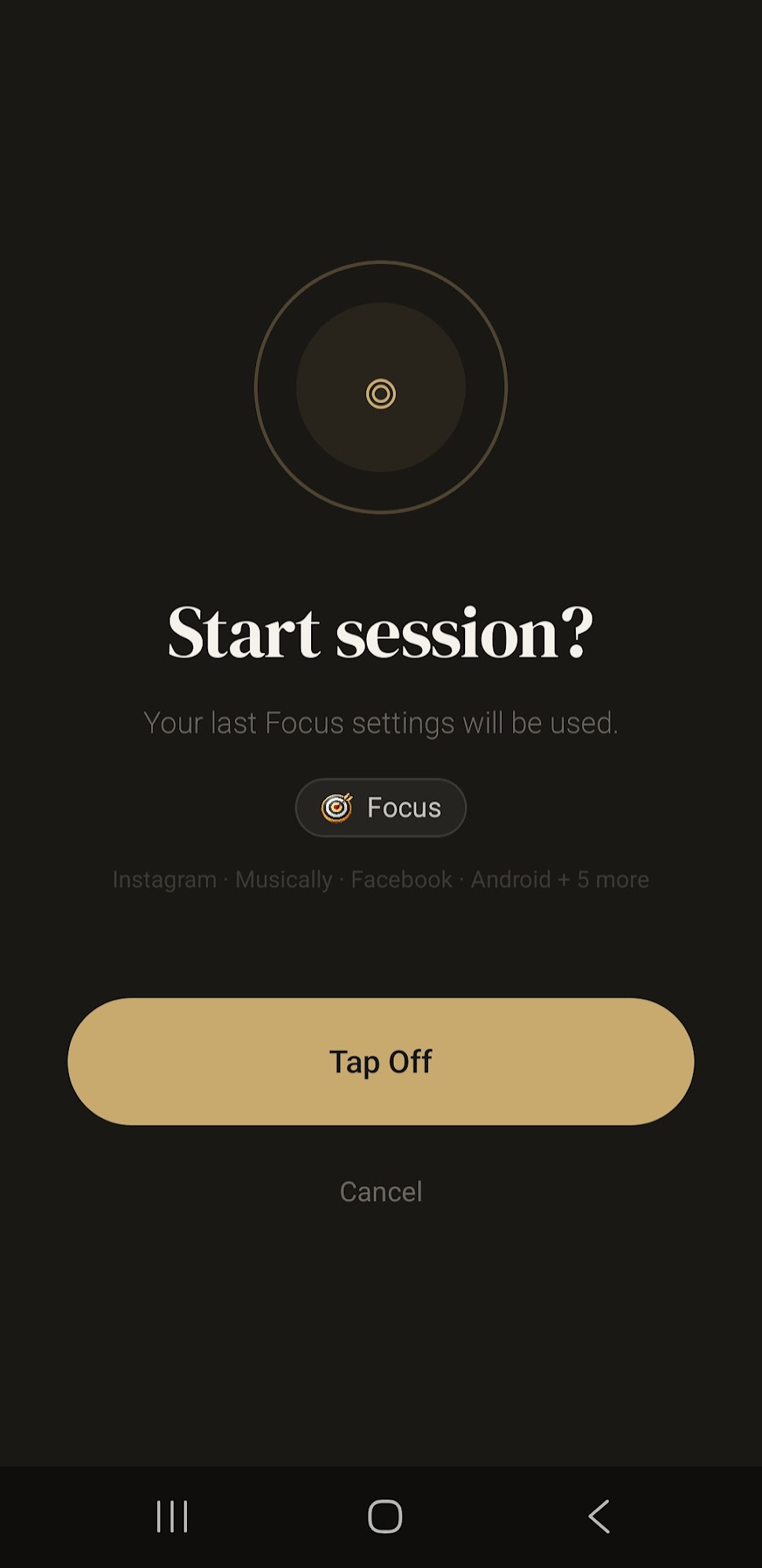
Hit the button or tap your NFC tag. Your selected apps are blocked instantly. The timer starts. You're present.

04

Tap back on

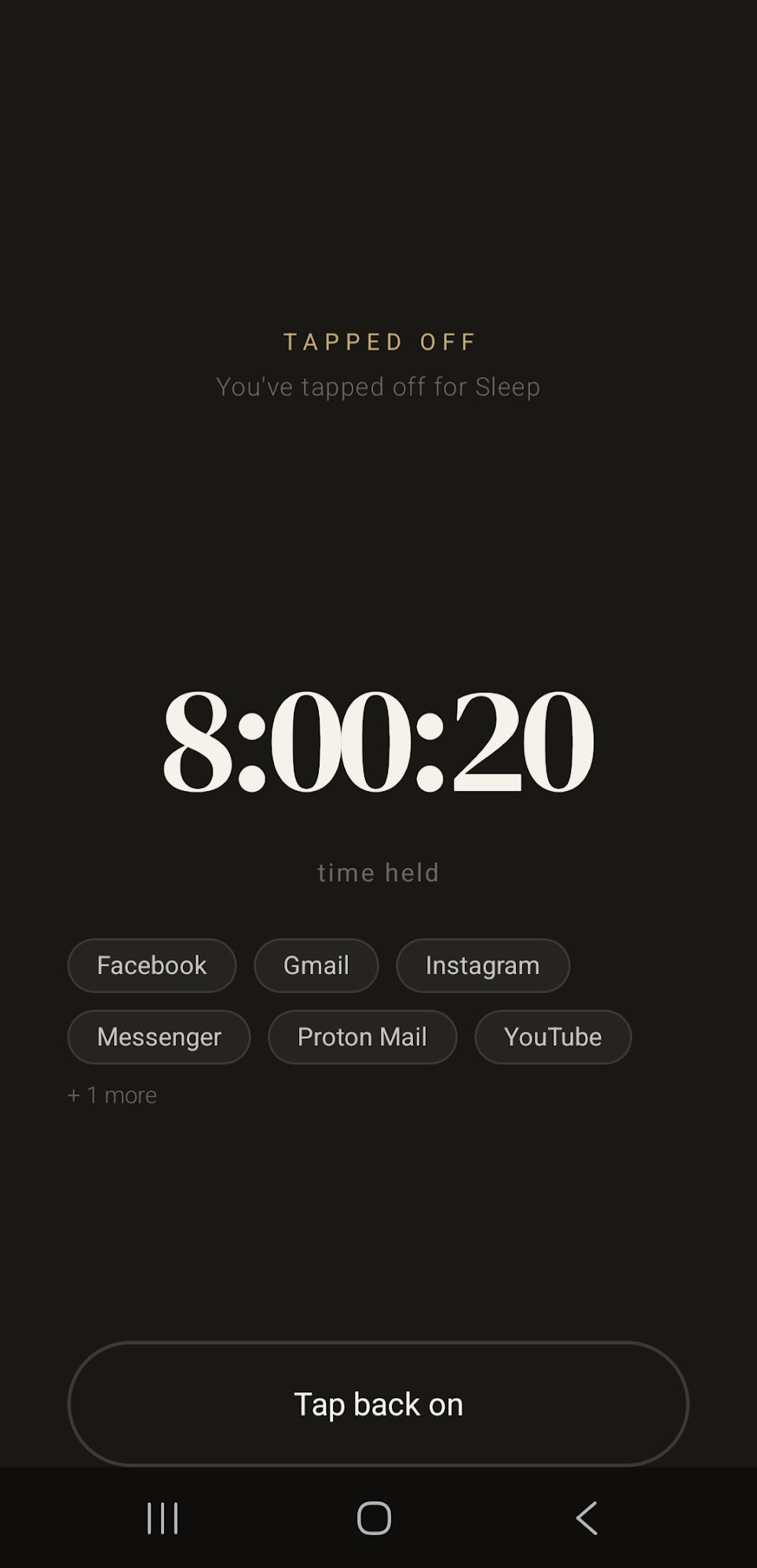
Enter your PIN or tap your physical tag again to end the session. Your apps are unblocked. That's it.

Use cases

Five modes.
One intention.

Each mode remembers its own app list so you never have to re-select. Just tap off and go.

💼

Work

Block social and distractions during deep work. Set a PIN so you can't give in.

🚗

Drive

Block everything except what you need on the road. Keep your eyes where they belong.

🌙

Sleep

Wind down without the scroll. Block the apps that keep you up and wake up rested.

🎯

Focus

Deep work, creative flow, study time. Full attention, zero noise.

Kids

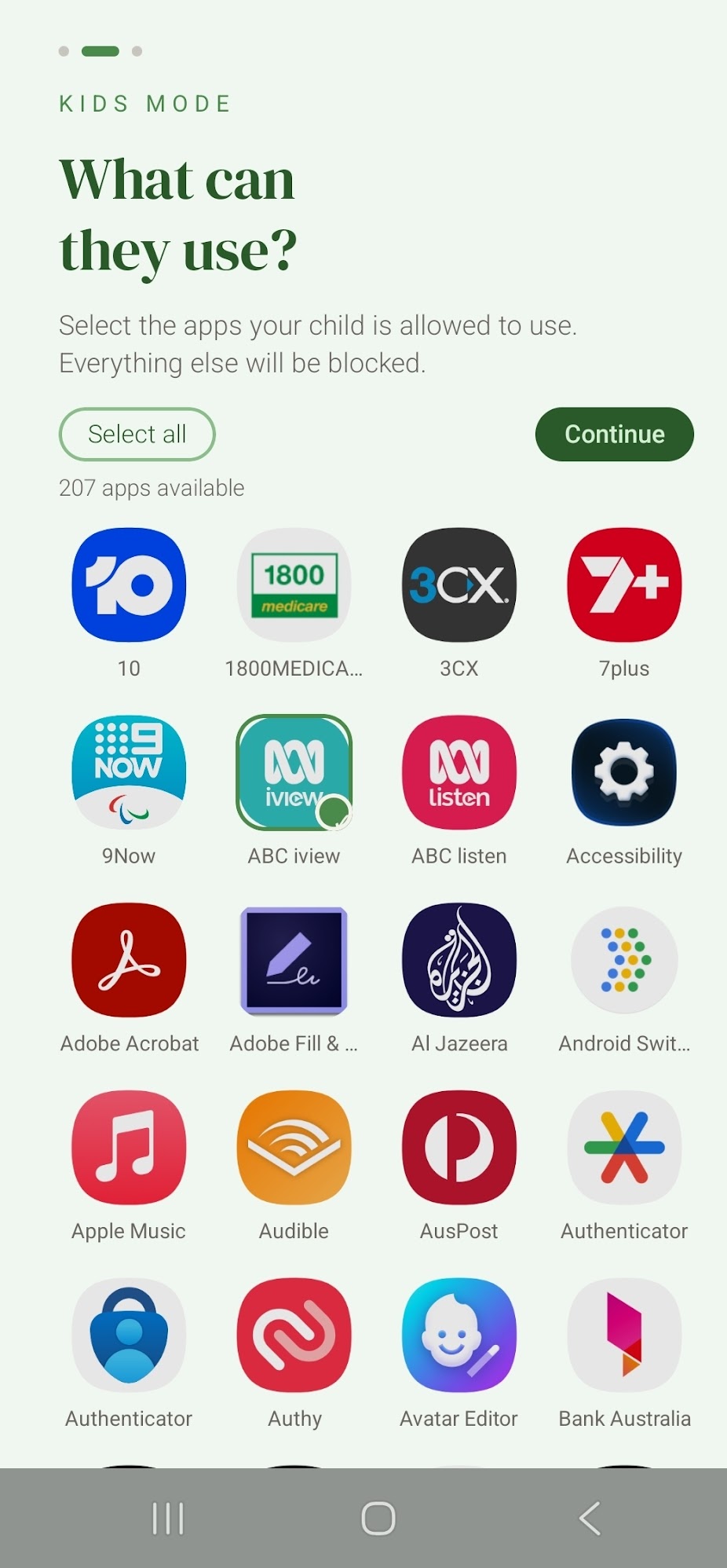
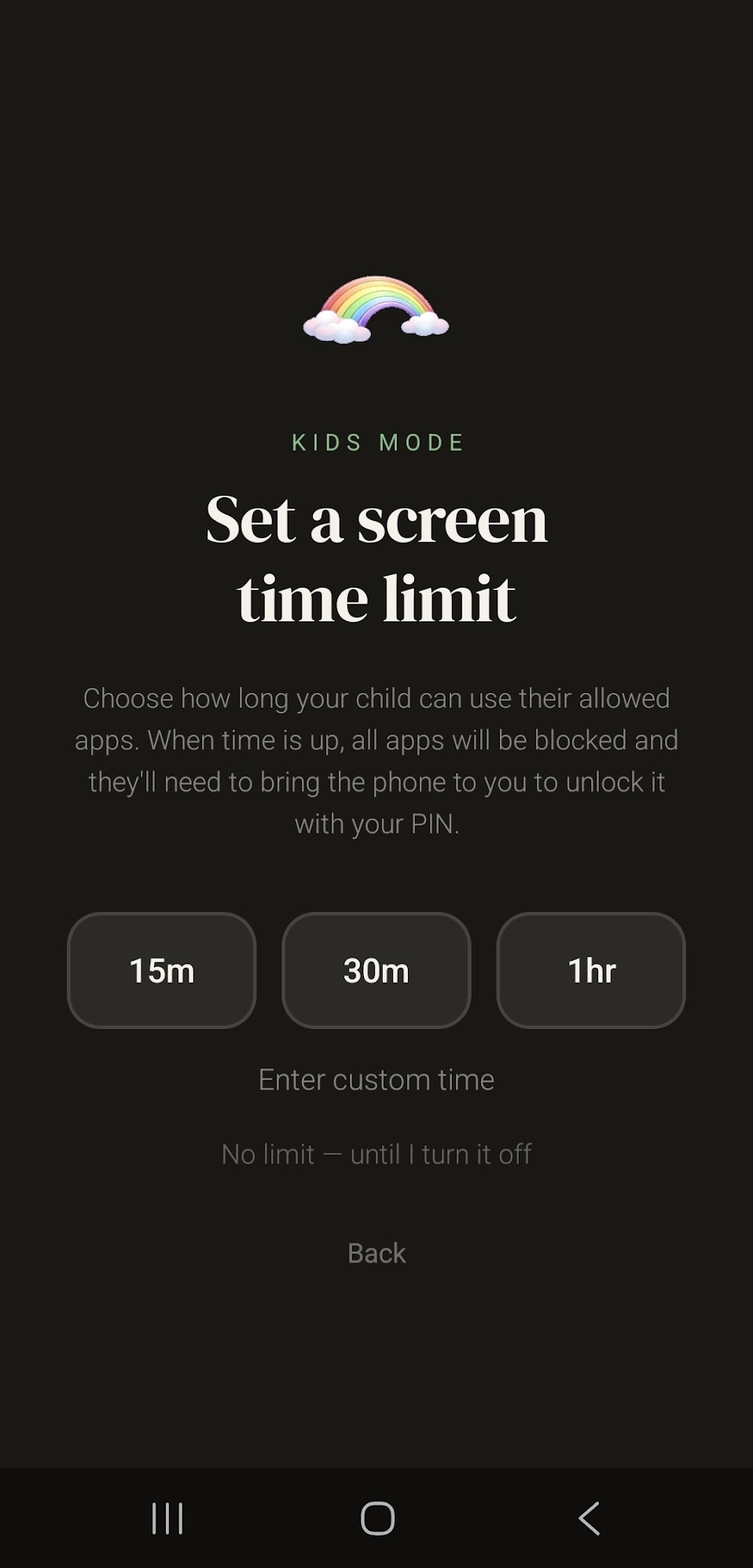
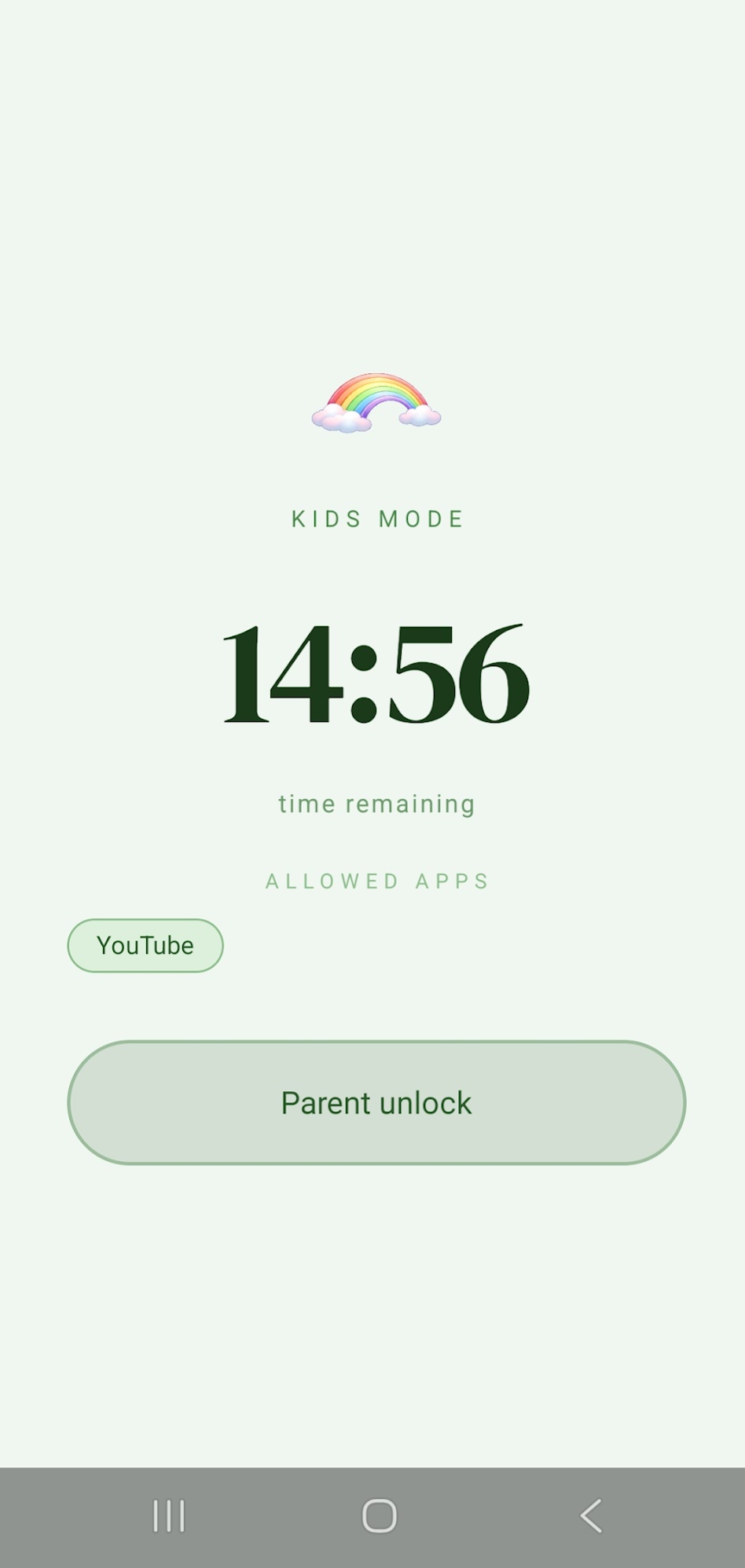
Choose exactly which apps your child can access. A parent PIN keeps it locked. Screen time that actually sticks.

The app

Clean. Simple.
It stays out of your way.

Tapped Off is designed to disappear. No dashboard to manage, no streaks to maintain. Just a timer, a list of blocked apps, and the knowledge that you chose this.

Live session timer

See exactly how long you've held your intention.

📱

Real app blocking

Attempts to open blocked apps redirect straight back to Tapped Off.

💾

Saved per mode

Your app list is remembered for each mode. One tap to start next time.

🔐

PIN protection

Optional PIN makes your session stick even when willpower wavers.

TAPPED OFF · WORK MODE
14:32
time held
Instagram
TikTok
Reddit
YouTube
+ 4 more
Physical tags · Coming soon

The tag makes it
feel real.

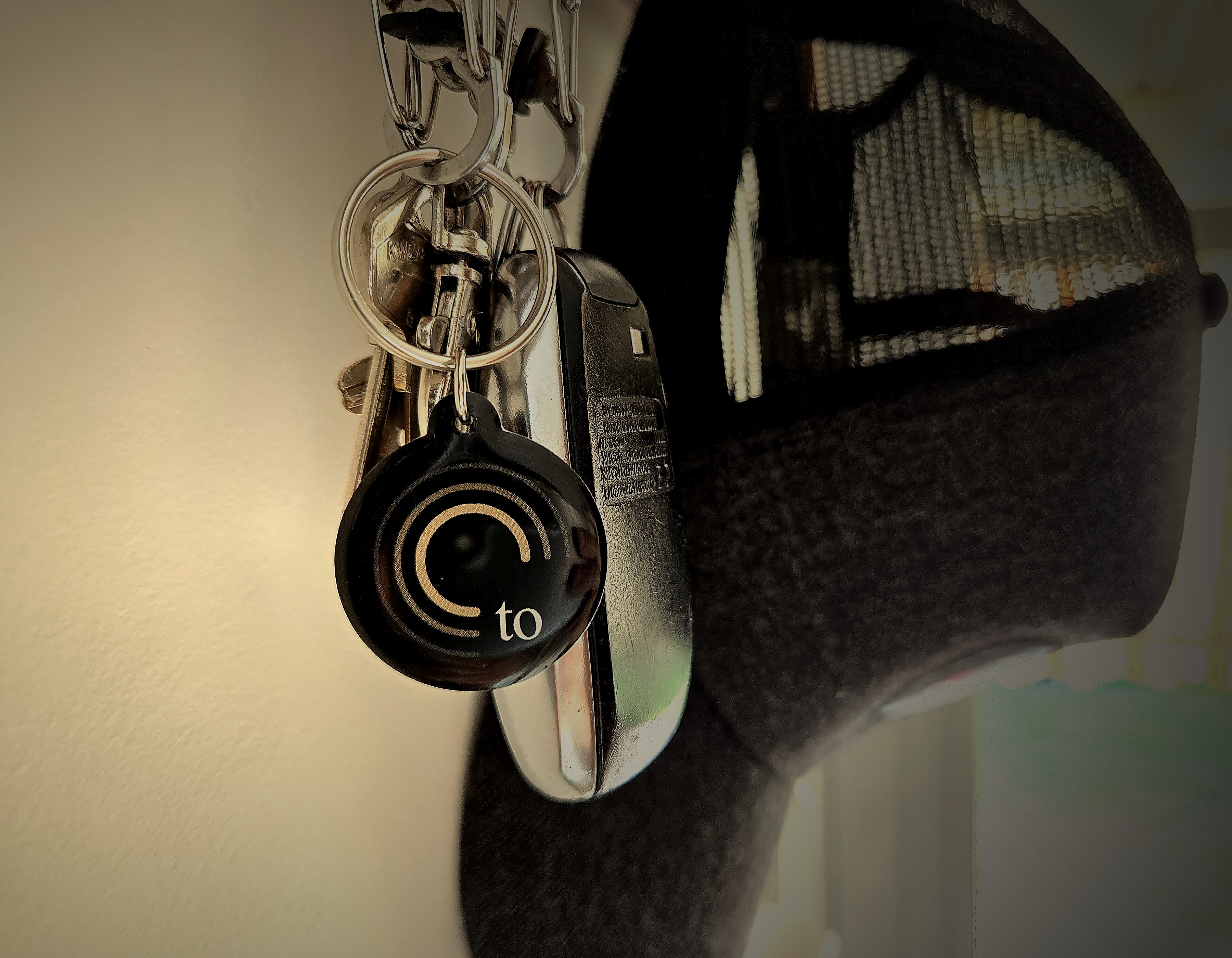
Tapping a physical object creates a moment of intention the app button can't. Our tags are coming soon — sign up below to be first to know.

Coming soon
to
Standard Tag
Slim NFC card. Fits in your wallet. Tap to start, tap to end. Simple.
$15 each · 2 for $28
Coming soon
to
Premium Wooden Tag
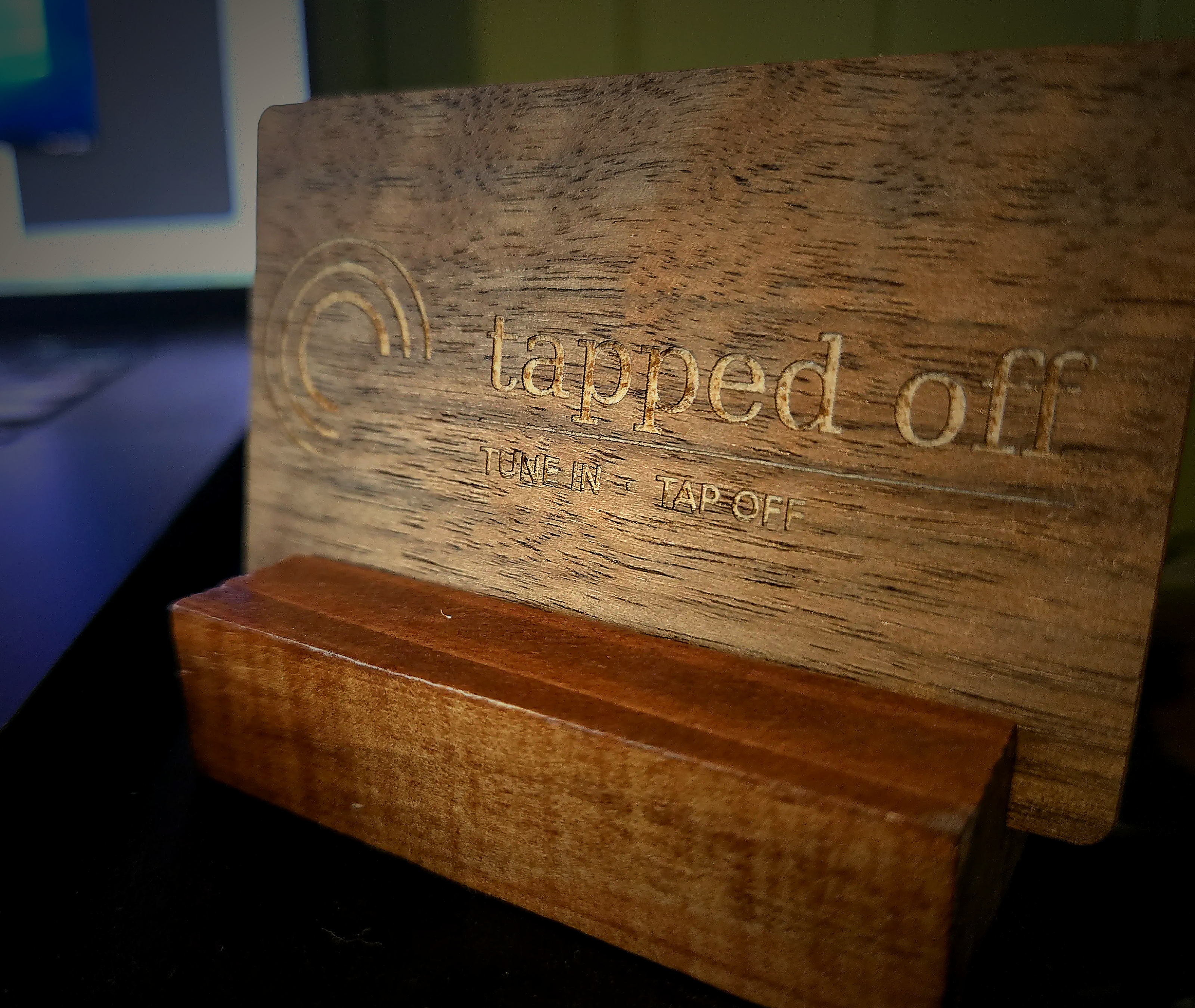
Hand-etched wood with desk stand. Use in your wallet or leave on your desk as a daily reminder.
$33 · includes stand
Our story

Born on the
Sunshine Coast.

"We wanted our family to be more present. But every solution we found was expensive, complicated, or both."

Tapped Off started as a simple idea around the kitchen table in Queensland. A family looking for a way to put their phones down with intention — not out of guilt, but as a genuine choice to tune into the present.

We built it ourselves, kept it simple, and made it free. Because we believe everyone deserves the tools to disconnect — not just people who can afford a monthly subscription or a large upfront cost.

The physical tags came later — a way to make the ritual feel real. Something you can hold, place on your desk, or keep in your wallet. A small object with a clear purpose.

Sunshine Coast, Queensland, Australia · 2025

Be first to know
when tags launch.

Leave your email and we'll notify you the moment physical tags are available. No spam — just the one email.

Thanks — we'll be in touch when tags launch. ✓
Legal

Privacy Policy

We built Tapped Off to help people be more present. Our approach to your data reflects that same intention.

Last updated: March 2025 · Tapped Off by Reclipse Digital Solutions

"Tapped Off does not collect, store, or transmit any personal data. Everything stays on your device."

Overview

The short version

Tapped Off is a free Android app. It does not require an account, does not connect to any server, and does not collect or share any personal information. Your preferences are stored locally on your device only and are never transmitted anywhere.


Data Collection

What we collect

We collect nothing. The app stores the following locally on your device only:

  • Your selected session mode (Work, Drive, Sleep, Focus, or Kids)
  • The list of apps you have chosen to block or allow per mode
  • Your session PIN (if you choose to set one)
  • Your last used mode preference

This data exists solely to remember your preferences. It never leaves your device.


Permissions

Why we need certain permissions

Accessibility Service — Used exclusively to detect when a blocked app is opened and redirect you back. Not used to read screen content, capture text, or collect any data. Granted once only.

NFC — Reads the Tapped Off tag to start and end sessions. No personal data is read from or written to your tag.

Foreground Service — Keeps blocking active in the background during a session. No data collected.

Query All Packages — Lets you see your full app list to choose what to block. Never transmitted outside your device.

Post Notifications — Required on Android 13+ to show the session notification.


Children

Kids mode and children's privacy

Kids mode does not collect any data about children. No information about usage, apps accessed, or session duration is transmitted or stored outside the device. Tapped Off does not knowingly collect personal information from children under 13.


Your Rights

Deleting your data

Go to Settings → Apps → Tapped Off → Storage → Clear Data. This removes all saved preferences. Uninstalling the app also removes all data.


Contact

Questions

Contact us at hello@tappedoff.com.au

Tapped Off is a product of Reclipse Digital Solutions, Sunshine Coast, Queensland, Australia.
Help

Frequently asked
questions.

Can't find what you need? Email hello@tappedoff.com.au

The App

Is Tapped Off really free?

+
Always. No subscription, no large upfront cost. The app is completely free to download and use. The optional physical tags are the only thing you ever pay for.

How do I stop a session?

+
App only mode: Tap "Tap back on" and enter your PIN if you set one.

Physical tag mode: Tap your Tapped Off tag again and confirm. The only way to end a tag session is with the physical tag — this is by design.

How does Kids mode work?

+
Kids mode lets parents choose exactly which apps their child is allowed to access. Set an allowed app list and a mandatory PIN before handing the phone over. The child cannot end the session without the parent's PIN or the physical tag.

Which apps can I block?

+
Any app installed on your phone. Browse your full list and select what to block. Five preset modes — Work, Drive, Sleep, Focus, and Kids — each with sensible defaults you can customise. Selections are saved per mode.

Why does Tapped Off need Accessibility permission?

+
Accessibility permission is how Tapped Off detects when a blocked app opens and redirects you back. It's only used to block apps during a session — nothing else. Your data stays on your device. You only grant it once.
The Tags

Do I need a tag to use Tapped Off?

+
Not at all. The app works completely standalone. The tag adds a tactile ritual but is entirely optional. The app is free and fully functional without one.

How does the tag work?

+
Each tag contains an NFC chip with a unique Tapped Off identifier. Tap your phone to start or end a session. Your last mode and app list load automatically — one tap is all it takes.

Will any NFC tag work?

+
No — it must be a Tapped Off tag. The app only responds to tags with the Tapped Off identifier. This prevents accidental triggers from bank cards or other NFC devices.

I've lost my tag — how do I end a session?

+
Restarting your phone always ends an active session. This is by design — it keeps your block meaningful. A full restart takes about 30 seconds.
Privacy

What data does Tapped Off collect?

+
None. Everything — chosen apps, session mode, PIN — is stored locally on your device only. No server, no analytics, no tracking. Read the full privacy policy.

Is Tapped Off available on iPhone?

+
Not yet — Android only. An iOS version is in development. Sign up on the main page to be notified.